
Introduction
A school platform should make everyday information easier to find, not give parents another system to worry about. talaxy takes a practical approach by bringing school data, parent communication, attendance, reports, homework, timetables and other functions into one cloud-based environment. What makes it particularly useful is the way schools can choose the tools they actually need instead of being forced into one fixed package.
For parents, that can mean checking attendance, reading school communications, viewing homework, accessing reports or preparing for a parents’ evening without searching through old emails and paper documents. For staff, the platform is designed to connect classroom activity with school administration. The result is a system that sits across several parts of the school rather than focusing on one isolated task.
How talaxy works within a school
talaxy is developed by TASC Software as a cloud-based platform designed to work alongside school management systems. Rather than asking schools to abandon their existing management information system, the platform is built to integrate with school data and extend the functions available to staff, students and parents.
That approach is important because schools rarely operate through a single piece of software. Attendance, assessments, communication, homework, reports, timetables and parent services can easily become separated across different systems.
TASC Software positions talaxy as a modular alternative. A school can select the tools it wants and add further functionality later. This means the exact experience can differ from one school to another.
A parent should therefore not assume that every feature advertised by TASC Software will appear in their school’s portal. The school decides which tools are relevant and how they are used.
A platform built around different users
The platform is designed for three main groups: school staff, students and parents.
Teachers and administrators can use tools for areas such as registration, assessment, behaviour management, seating plans, student information and reporting. At-home tools can provide parents and students with access to homework, exams, documents, school reports, communication, events and other services.
That shared structure is one of the platform’s more useful characteristics. Information entered or managed in one part of the school can be made available to the people who need it, subject to the school’s permissions and configuration.
talaxy puts the parent portal at the centre of home-school communication
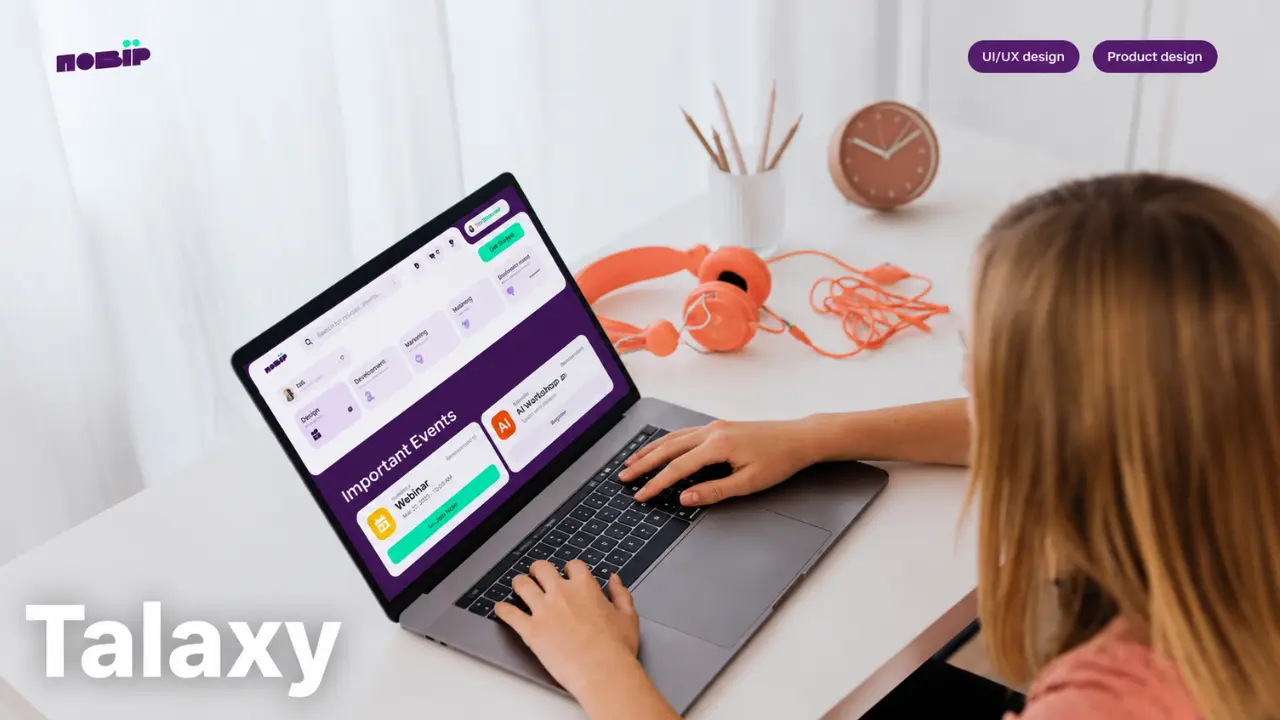
The parent portal is one of the most visible parts of talaxy for families.
Instead of presenting parents with a basic collection of menu buttons, TASC Software describes the parent dashboard as a live area that can highlight new information, documents and conduct records. The platform can also provide direct access to areas such as attendance, conduct and detentions.
That design makes sense because parents rarely open a school portal simply to browse it. They usually have a specific reason for visiting.
They might want to check whether an absence has been recorded, read a newly published document, see homework or look at information before contacting the school.
A useful dashboard should make those changes visible without forcing parents to search through every section.
The platform also supports different single sign-on options, including Apple, Google and Microsoft, depending on the school’s configuration.
Attendance is one of the most practical uses
Attendance information is far more useful when it is available while the school year is still underway.
talaxy includes attendance tools for school staff and can also provide parents with access to relevant attendance information. The platform supports absence reporting, allowing schools to give parents and carers a way to explain historical unexplained absences or notify the school about expected future absences when that option has been enabled.
This can remove a surprisingly repetitive administrative task.
Instead of a parent having to call the school office simply to explain an absence, the school can collect that information through the platform. Staff can then review incoming absence reports and process them through the attendance system.
The school still controls the process. talaxy does not independently decide whether an absence is authorised or how a school should handle attendance. It provides the digital tools for recording and managing the information.
For parents, that distinction matters. The portal is a communication and information channel, not a replacement for the school’s attendance policies.
Academic reports give parents a clearer view of progress
School reports are another area where a central platform can make a noticeable difference.
TASC Software provides a reporting system within talaxy that allows schools to create report designs, include grades and comments, schedule reports and share them electronically with parents.
This gives schools more control over how academic information is presented.
A report can include different types of information rather than relying on a single standard layout. Schools can create designs that fit their reporting structure and can use those designs repeatedly.
For parents, the main advantage is access. Once a report has been released, it can be made available electronically rather than depending entirely on printed documents.
That also makes reports easier to revisit before a teacher meeting or parents’ evening.
The technology does not replace the conversation behind a report. It simply makes the information easier to deliver and access.
Homework and quizzes extend learning beyond the classroom
Homework is another area where talaxy moves beyond simple administration.
The platform includes tools for setting homework and quizzes, attaching resources and providing grades or comments. TASC Software also states that parents can view homework, previous grades and related resources such as handouts and videos.
That creates a more useful connection between school and home.
A student can access assigned work without relying entirely on a paper note or verbal reminder. Parents can also see what has been assigned when the school has enabled the relevant features.
The homework tools can support different grading approaches, including points, grades and percentages. Teachers can also attach files, web links and videos to assignments.
This makes the system more than a place to post a homework title. It can become part of the actual learning workflow.
Timetables help students and parents plan ahead
Timetables are easy to overlook because they seem like basic information.
In practice, they are among the details students and parents check repeatedly.
TASC Software states that students and parents can view up-to-date timetables through talaxy on mobile or desktop devices. The platform can also provide calendar and list views for school events.
That can be particularly useful when the school day changes or when students need to prepare for particular lessons.
The timetable is also connected to other school information in the wider platform. Depending on the school’s configuration, students and staff may see information such as clubs, detentions or other scheduled activities alongside timetable information.
Again, the exact information available depends on what the school has implemented.
Communication is more than sending another email
One of the strongest reasons for a school to use talaxy is communication.
The platform supports communication through email, SMS and in-app notifications, with tools for sending information to targeted groups as well as wider school audiences.
That targeting matters.
A message about an examination arrangement does not need to reach every person connected to the school. A club announcement may only concern a particular group of students. A trip notice may need to reach selected parents.
A system that can target communication helps reduce the problem of sending every message to everyone.
The platform can also manage documents and galleries, allowing schools to share items such as reports, policies, trip information and newsletters electronically.
For parents, this means important documents can have a more reliable digital home instead of being buried in an inbox.
Parents’ evenings can be managed through talaxy
Parents’ evenings are another area where the platform goes beyond information storage.
talaxy includes tools for organising parent-teacher meetings, including online and in-person arrangements. Schools can choose whether bookings are managed centrally or allow parents to select appointments themselves.
The system can also support different appointment lengths for different staff members and can handle arrangements involving teachers from different departments or specialist roles.
That is useful because parents’ evenings are rarely as simple as giving every teacher the same number of appointment slots.
A well-designed booking system has to account for staff schedules, student groups and available appointment windows.
The platform is intended to handle that administration within the same environment used for other school information.
Behaviour and achievement information can be connected to the wider student record
Behaviour management is another major component of talaxy.
TASC Software describes tools for recording conduct, recognising achievements, managing detentions and tracking interventions. Schools can configure processes so that relevant staff and parents receive appropriate information.
This creates a broader picture of student activity.
A student record does not have to consist only of grades and attendance. Behaviour, achievements, interventions and other relevant information can form part of the school’s wider understanding of the student.
That can be valuable for staff because they can view information in context rather than treating every incident as an isolated event.
For parents, the availability of behaviour or achievement information depends on the school’s chosen configuration and permissions.
talaxy also gives schools tools for assessment and reporting
The platform is not limited to the parent-facing side.
TASC Software provides assessment and grade management tools that allow schools to create assessment structures, enter grades, review information and connect assessment data with existing management systems.
The system can also support reporting processes, including report designs, grades, comments, tables and graphical elements.
For teachers, this can reduce the amount of information that has to be transferred manually between separate systems.
For school leaders, connected data can make reporting and analysis easier to manage.
This is one reason talaxy is better understood as a school platform rather than simply a parent portal. The parent-facing dashboard is important, but it is only one part of a much larger system.
What makes talaxy different for each school
There is no single talaxy experience that every parent will see.
The platform is deliberately modular. TASC Software lists tools covering classroom activity, home access and school-office functions, but schools can select the combination that suits their requirements.
One school may make extensive use of homework and parent communication. Another may focus more heavily on attendance, assessment and reports.
That explains why one parent’s experience can differ from another parent’s experience even when both schools use the same platform.
It also means online instructions should be treated carefully. If a feature is missing from a particular account, that does not automatically mean the account is broken. The school may simply not have enabled that module.
Accessing talaxy depends on the school
Parents should use the access and registration instructions provided by their school.
Because talaxy is implemented by individual schools, the correct login route, enabled features and account arrangements can vary.
If a parent has not received registration information, repeatedly searching for alternative login pages is unlikely to solve the problem. The school is the appropriate place to confirm whether an account has been created and which access instructions apply.
Once an account is active, parents should keep their credentials secure and use the school’s approved access route.
If a login problem continues, the school can determine whether the issue relates to registration, account information or the school’s own configuration.
Why the cloud-based approach matters
TASC Software describes talaxy as a cloud-based web application that can be accessed from different locations. The company also states that the platform follows WCAG 2.1 accessibility guidelines.
For schools, cloud access can reduce dependence on a single physical location.
For parents and students, it means school information can be available through supported devices without requiring them to be physically present at school.
The practical benefit is simple: information becomes easier to reach when it is needed.
Accessibility also matters because a school portal serves a broad group of users. The interface should not become an unnecessary barrier for parents, students or staff who use assistive technologies or have different accessibility requirements.
The biggest advantage is having connected information
The strongest part of talaxy is not one individual feature.
Attendance is useful. Homework is useful. Reports are useful. Communication is useful. Timetables are useful.
The real advantage comes from connecting those functions.
A parent can move from a communication to a report, from a report to a parents’ evening, or from a timetable to homework without relying on a collection of unrelated systems.
For schools, connected information can also reduce duplicate data entry and fragmented processes. TASC Software specifically positions the platform as a way to work with existing school management systems while extending the functions available to staff, students and parents.
That is a much stronger proposition than simply adding another school app.
Where talaxy should not replace human communication
Technology is useful until people start treating it as a substitute for judgement.
A portal can show an attendance record, but it cannot explain every reason behind that record. A report can show grades and comments, but it cannot replace a conversation with a teacher. A behaviour record can document an event, but context still matters.
Parents should therefore use talaxy as a source of information and a communication channel, not as the final authority on every situation.
If something looks incorrect, the right response is to ask the school.
If a report raises a concern, discuss it.
If an attendance record does not match what happened, contact the appropriate school staff.
The platform makes information easier to access. People still need to interpret that information responsibly.
Final Takeaway
talaxy works best when it solves ordinary school problems without making them feel like technical problems.
Parents need clear access to attendance, homework, reports, timetables and school messages. Students need reliable information about their work and schedules. Teachers and administrators need connected tools for managing the information behind those services.
That is where talaxy has a clear advantage. Its modular structure lets schools choose the functions that fit their operation, while its parent-facing tools create a direct route between school information and home.
The important question is not whether a school uses every available feature. It is whether the platform makes the information that matters easier to find, understand and act on.
For schools, that should be the standard. For parents, it is the reason a portal like talaxy is worth using.
FAQs
1. Can a parent see every piece of information stored in talaxy?
No. Access depends on the school’s configuration, user permissions and the specific modules the school has enabled. Parents may see attendance, reports, homework, communications or other information without necessarily having access to internal staff records.
2. Why might two schools using talaxy offer different features?
talaxy is modular, so schools can select the tools they need. One school may enable homework, payments and parents’ evenings, while another may focus more heavily on attendance, assessment and reporting.
3. Can parents report a child’s absence through talaxy?
Yes, where the school has enabled the absence-reporting function. TASC Software describes a system that can allow parents and carers to explain historical unexplained absences and notify the school about anticipated absences.
4. Can students access homework through talaxy?
Yes. The homework and quizzes tools can allow students to access assigned work and related resources. TASC Software also states that parents can view homework, previous grades and attached resources where those functions are used by the school.
5. What should a parent do if a feature mentioned online is missing from their account?
First, check the school’s own instructions. The feature may not have been enabled by that school, or it may only be available to particular users. If the information is still unclear, contacting the school is more reliable than assuming the account is faulty.