
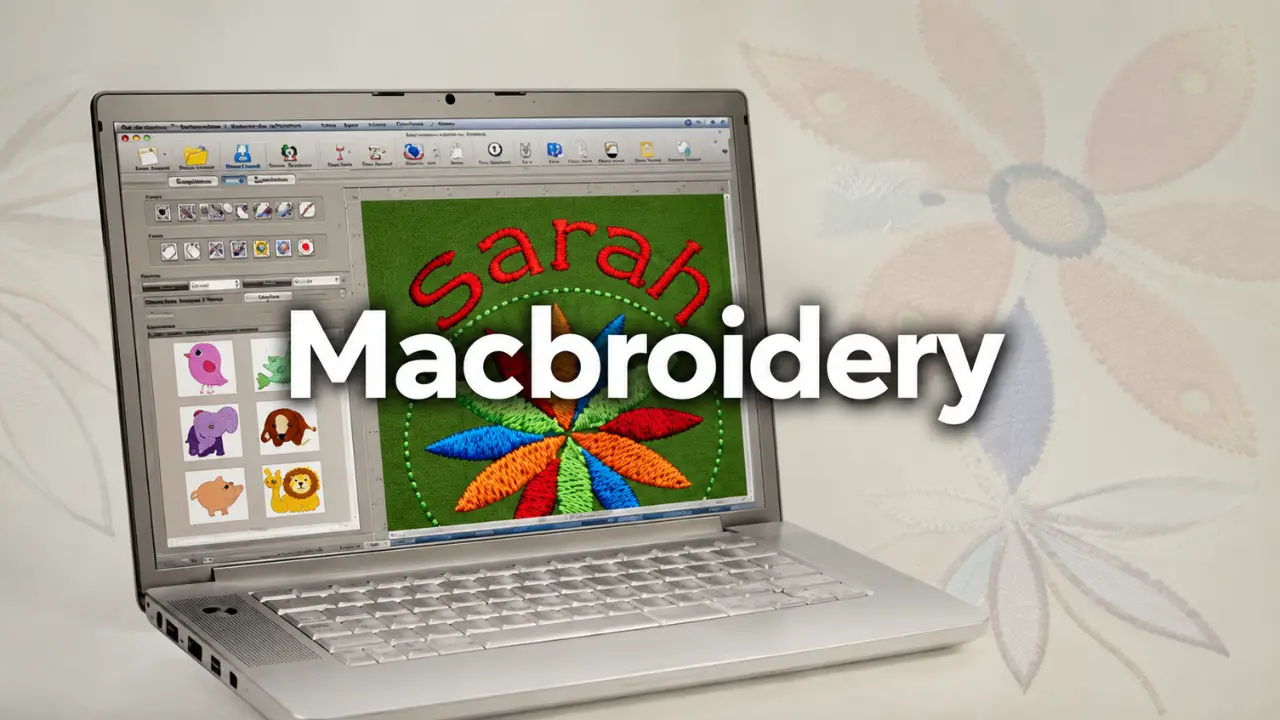
Macbroidery deserves a closer look because it addressed a practical problem for embroidery enthusiasts: creating and customizing embroidery designs on a Mac without relying on a Windows computer. Its lettering tools, design templates, and garment previews made it an interesting option for people who wanted more control over personalized stitching projects. However, its discontinued status changes how readers should approach the software today. Understanding what it offered, where it fell short, and which alternatives remain worth considering is essential before making any software decision.
How Macbroidery Changed Embroidery Design on Mac Computers
For years, embroidery software users have faced a frustrating choice between working with limited design tools and purchasing software that requires a different operating system. Macbroidery offered Mac users a dedicated option for preparing and customizing embroidery projects.
Its main appeal was convenience. Instead of treating embroidery as a process that began and ended at the sewing machine, the software allowed users to prepare much of their creative work on a computer. They could arrange lettering, experiment with fonts, adjust design elements, and preview how a project might look on clothing before moving to the stitching stage.
This approach was particularly useful for people creating personalized garments, business uniforms, decorative items, and handmade gifts. A small business producing customized shirts, for example, could plan the placement of a company name before committing fabric and thread to the actual project.
Macbroidery also reflected an important shift in embroidery production. Digital tools were becoming part of everyday sewing work, giving users greater control over design preparation and reducing the need for repeated manual adjustments.
The Main Features That Made Macbroidery Useful
The value of embroidery software depends on how well it handles real design tasks. Macbroidery attracted attention because it combined lettering, editing, and preview capabilities in a package intended for Mac users.
Embroidery Lettering and Font Customization
Lettering was one of the most practical parts of the software. Personalized text appears on everything from school uniforms and sportswear to towels, jackets, and handmade accessories.
Macbroidery provided access to pre-digitized embroidery fonts, allowing users to create text without having to build every letter from scratch. Historical product documentation describes approximately 100 built-in fonts.
This mattered because embroidery lettering requires more consideration than ordinary computer text. Font size, spacing, stitch structure, and fabric characteristics can all affect the final appearance.
A design that looks attractive on a computer screen might become difficult to read when stitched too small. Having lettering controls available before production gave users an opportunity to make adjustments at an earlier stage.
Design Templates and Layout Adjustments
Templates helped users organize their projects without beginning with an empty workspace every time.
For instance, someone preparing a name for a jacket could use a suitable layout, position the text, and adjust its dimensions. Similar planning could be applied to decorative designs and personalized household products.
Macbroidery also offered design-editing functions that helped users reposition and adjust elements. These capabilities were useful when an existing embroidery design needed to fit a different garment or available stitching area.
Good placement is not a minor detail. A design positioned too close to a seam or outside the usable hoop area can create problems during production.
Thread Colors and Stitch Settings
Thread selection affects the appearance of an embroidered design just as much as the artwork itself.
Macbroidery included controls associated with thread colors and stitch settings. These options allowed users to work with important design characteristics, including stitch types, widths, and density.
Stitch density deserves particular attention. If stitches are packed too closely together, the fabric may become stiff or distorted. If they are too widely spaced, the design can look incomplete.
These adjustments are especially important when working with different materials. A lightweight cotton shirt does not necessarily behave like a thick sweatshirt or denim jacket.
The software provided a way to consider these details during preparation, although the final result still depended on appropriate machine settings, fabric selection, stabilizers, and embroidery experience.
Garment Previews Before Stitching
Previewing a design before production can prevent avoidable mistakes.
Macbroidery included garment preview capabilities that helped users visualize lettering and embroidery arrangements on clothing templates.
Imagine preparing a small business logo for a polo shirt. The logo might look attractive when displayed alone, but its position could appear awkward when placed on the chest area. A preview gives the designer an opportunity to reconsider the arrangement before using the embroidery machine.
This feature was particularly valuable for personalized products, where customers often expect specific positioning and appearance.
How Macbroidery Fits Into a Real Embroidery Workflow
Embroidery software is only useful when its output can be translated into a successful stitching project. The design process involves several decisions, and each one can affect the finished item.
The first step is selecting or importing an appropriate design. Users can begin with existing artwork or work with lettering and templates, depending on the project.
Next comes customization. Text size, font selection, alignment, and positioning need to match the garment and the available embroidery area. A small design intended for a cap requires different planning from a large decorative pattern intended for a jacket.
The third stage involves reviewing thread colors and stitch settings. Designers should consider how the chosen colors will appear against the fabric and whether the stitching arrangement is appropriate for the material.
Machine compatibility also matters. Embroidery machines use supported file formats, and the correct output must be selected before transferring a design. The machine model, hoop dimensions, and available design formats should be checked rather than assumed.
Finally, the project should be reviewed before stitching begins. A preview can reveal placement problems, but a test stitch on similar fabric remains a sensible precaution for important orders.
Macbroidery supported parts of this preparation process, but it did not remove the need for practical embroidery knowledge. Good software cannot compensate for poor fabric preparation or incorrect machine tension.
Why Macbroidery Is No Longer a Reliable Choice for New Users
The biggest concern surrounding Macbroidery is its discontinued status.
According to Brother’s official support information, Macbroidery was retired by Pulse Microsystems in 2018. Brother also documents a compatibility limitation involving macOS High Sierra.
That information changes the purchasing decision considerably. Someone researching embroidery software today should not assume that an older Macbroidery installer will work correctly on a current Mac.
Older applications can encounter problems when operating systems change. Installation failures, unsupported components, missing drivers, and file-transfer issues can make software difficult to use even when an original installer is available.
There is also the question of ongoing support. When software is retired, users cannot rely on the same level of maintenance, compatibility updates, or technical assistance associated with an actively supported product.
For an experienced hobbyist who already owns a working installation, the situation may be different. Existing users might continue using their established setup if it remains functional. However, that does not make the software a sensible first purchase for someone starting a new embroidery business.
The distinction is important: historical usefulness does not guarantee present-day reliability.
The Best Macbroidery Alternatives for Modern Mac Users
Mac users interested in embroidery design still have options. The right choice depends on whether the priority is lettering, basic editing, or full digitizing.
Embrilliance for Lettering and Design Editing
Embrilliance is one of the strongest alternatives to investigate, particularly for people who want to customize embroidery lettering and work with existing designs.
Its software range includes products with different capabilities, so buyers should compare individual editions rather than assume every feature is included in one package.
For a small embroidery business producing names, initials, and personalized garments, lettering and editing functions may be more important than advanced digitizing tools.
Embrilliance is worth considering for users who want a dedicated embroidery application designed to work on Mac computers.
Ink/Stitch for Free Embroidery Digitizing
Ink/Stitch takes a different approach. It is an open-source extension for Inkscape that provides embroidery digitizing functionality.
Its biggest advantage is accessibility. Users can explore embroidery design creation without immediately paying for commercial software.
However, free software is not automatically the easiest software. Ink/Stitch requires users to understand its workflow and learn how vector artwork translates into stitches.
It is a reasonable option for creative users who enjoy experimenting and are comfortable learning technical tools. Beginners looking for a simple lettering application may prefer a more straightforward product.
StitchBuddy for Managing Existing Designs
StitchBuddy is another option worth investigating for Mac users who primarily need to view and edit embroidery designs.
Its functions are relevant to people who already have embroidery files and want to make adjustments without investing in a full professional digitizing package.
The important distinction is between editing an existing design and creating an entirely new stitch-based design. Buyers should check which functions are included in the current version before choosing it as a replacement for Macbroidery.
Janome Artistic Digitizer for Advanced Design Work
Janome Artistic Digitizer is aimed at users interested in more involved embroidery design and digitizing work.
It may suit people who want greater control over the preparation of original embroidery projects, particularly when their work goes beyond simple lettering.
However, advanced software can introduce a learning curve. A hobbyist who only needs to place a name on a towel does not necessarily need a professional-level digitizing package.
Checking the current Mac version, supported operating systems, machine requirements, and licensing conditions is essential before purchasing.
What to Consider Before Choosing Replacement Software
Choosing an alternative should begin with the actual work you intend to perform.
A person who creates embroidered names for family clothing has different requirements from a business producing hundreds of branded garments each month.
Start with lettering. If personalized text is the main purpose, look for reliable font tools, spacing controls, and the ability to adjust text placement.
Next, examine supported embroidery formats. A program may look suitable but still fail to produce files compatible with your particular machine. Check the manufacturer’s documentation for supported formats and transfer methods.
Operating system compatibility deserves equal attention. Confirm that the current software version supports your Mac’s processor and installed macOS version. Do not rely on old reviews or outdated installation guides.
Consider the learning curve as well. A complicated application can slow down production when the task itself is relatively simple. On the other hand, advanced digitizing functions may be worth learning if you regularly create original designs.
Finally, examine the cost of the complete package. Some embroidery applications sell separate products or feature upgrades. Compare what is included before judging one program against another.
Who Can Benefit From Mac Embroidery Software?
Digital embroidery applications are useful for different types of creative work, but their value depends on the user’s goals.
Home sewing enthusiasts can use embroidery software to personalize gifts, decorate household fabrics, and experiment with lettering. Preparing a design on a computer gives them more control over the final placement and appearance.
Small clothing businesses can use these tools when preparing names, logos, and branded designs for customer orders. Consistency is particularly important when producing several garments with the same artwork.
Professional embroidery operators may need more advanced capabilities, including digitizing controls, stitch adjustments, and support for different machine formats.
Mac users should also consider whether they need a dedicated embroidery application or a combination of design and digitizing tools. Purchasing expensive software without understanding the actual production requirements is an unnecessary expense.
Macbroidery remains relevant to discussions about Mac-based embroidery software because it offered a dedicated solution for an audience that needed those capabilities. Its retirement, however, means that new users should concentrate on currently maintained alternatives.
Frequently Asked Questions About Macbroidery
1. Can Macbroidery open existing embroidery design files?
Its ability to work with embroidery designs depended on the supported file formats and the installed software version. Users with an existing installation should check the original documentation and test important files before relying on it for production.
2. Was Macbroidery suitable for personalized clothing businesses?
Yes, its lettering, layout, and preview features made it relevant to personalized clothing projects. Businesses could prepare names, decorative lettering, and other embroidery arrangements before stitching. However, it was not a substitute for machine maintenance, production planning, or practical embroidery skills.
3. Does Macbroidery require a Brother embroidery machine?
Macbroidery was associated with Brother, but its historical capabilities included support for multiple popular embroidery machine brands. Actual compatibility depended on the machine and supported design formats.
4. Is Embrilliance a good replacement for Macbroidery?
Embrilliance is worth considering, especially for users who need embroidery lettering and design editing on a Mac. The best edition depends on the features required, so checking its current product specifications is important.
5. Should beginners try to install an old Macbroidery version?
Beginners should avoid making an old, discontinued application their primary software choice. Compatibility problems and limited support can create unnecessary difficulties. A currently supported application with clear installation instructions is a more practical starting point.